Couple pose reference
Couple pose reference: two people, posed together
Drawing two people is harder than drawing one twice: the poses have to touch. These two-person references place every point of contact (hands, arms, foreheads) precisely, so you can turn the couple to any angle.
 Front
Front 3/4 front
 Side
Side Back
BackCouple and two-person poses
11 poses. Click a pose to see it from every angle, then open it in the 3D Studio to adjust and export it.
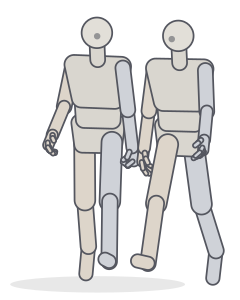 Holding handsTwo people · Walking
 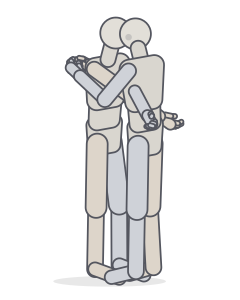 EmbraceTwo people · Standing
 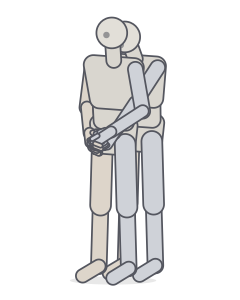 Back hugTwo people · Standing
 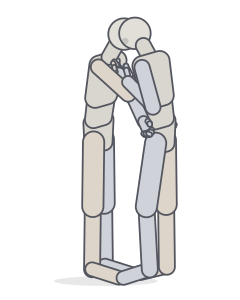 Forehead touchTwo people · Standing
 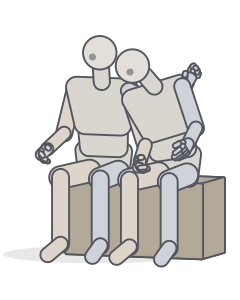 Leaning on a shoulderTwo people · Sitting
 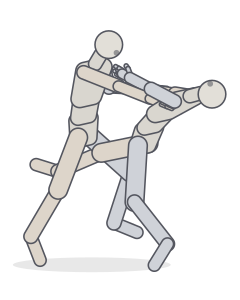 Dance dipTwo people · Dancing
 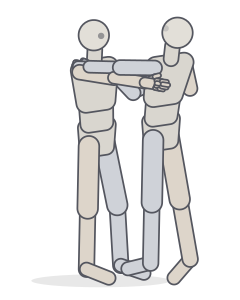 Partner dance holdTwo people · Dancing
 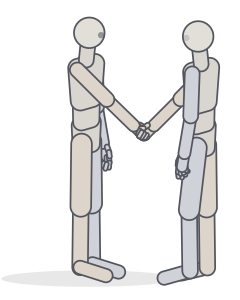 HandshakeTwo people · Standing
 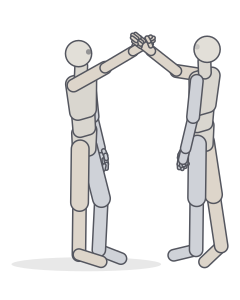 High fiveTwo people · Standing
 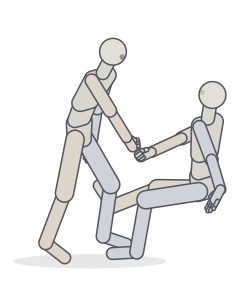 Helping someone upTwo people · Sitting
 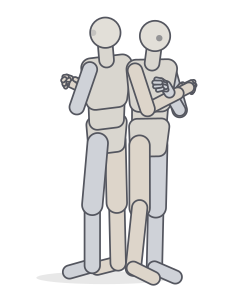 Back to backTwo people · Standing
Drawing couples: contact, overlap, distance
- Contact points tell the story. Fingers interlaced, a hand on a waist, a cheek near a shoulder. Draw these first and build the bodies around them.
- Overlap creates depth. Decide which figure is in front. In an embrace, one pair of arms disappears behind the other body; in a back hug the figure in front hides most of the other.
- Distance is emotion. The space between the two torsos says more than the faces: leaning in, leaning away, or sharing the same line of action.
- Heights and proportions. Couples rarely share a height. Change one figure’s body type in the Studio to see how arms and heads adjust.
Friends, partners, rivals
Not every two-person pose is romantic. The gallery includes handshakes, high fives, helping someone up and a back-to-back stance. These are useful for friendships, team shots and covers.
Frequently asked questions
How do I draw two people hugging?
Start with the two torsos and the space between them, then wrap the arms around the far side of the partner’s body. Decide which arms are in front and which are hidden. Turning a 3D reference makes the overlaps easy to see.
Can I change the height difference between the two figures?
Yes. In the Studio each figure has its own body type and proportion sliders (Body panel), so you can make one figure taller, broader or more stylised.
Can I pose the couple myself?
Yes. Open any pose in the Studio, click a figure to select it and adjust its joints. Drag a hand to place it with IK, for example onto the partner’s shoulder.
Keep practising
Make the exact pose you need
Start from any of these poses, then adjust joints, hands, body type and camera in the Studio. Export a PNG, a GIF or AI guide images.