Drawing references
A body base for your next drawing
Start with a clear pose, then make the character your own. Browse standing, sitting and reclining body bases, rotate the reference, or open a pose in Studio to change its joints and proportions.

Body bases: standing, sitting and lying down
12 870+ poses. Click a pose to inspect from every angle and edit in 3D Studio.
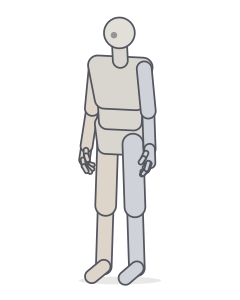 Neutral standingStanding
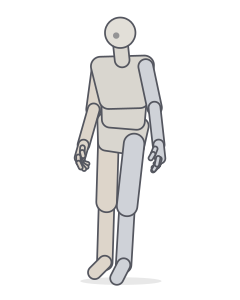 ContrappostoStanding · Relaxed
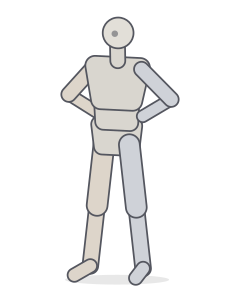 Hands on hipsStanding
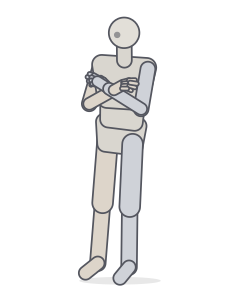 Arms crossedStanding · Relaxed
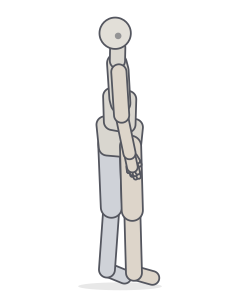 Looking over the shoulderStanding · Relaxed
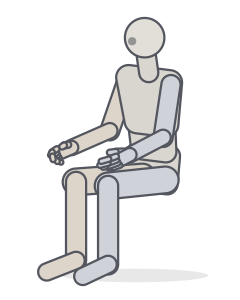 Seated (chair height)Sitting
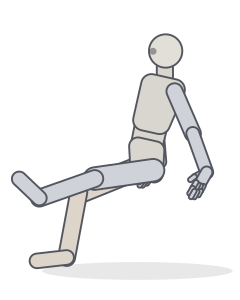 Sitting on the floorSitting · Relaxed
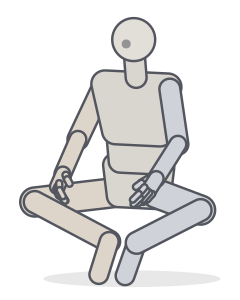 Cross-leggedSitting · Yoga
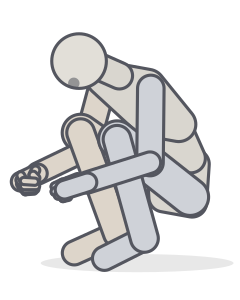 Hugging kneesSitting
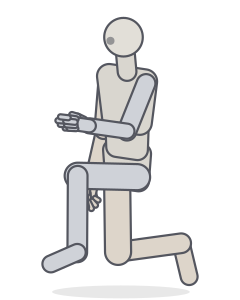 Kneeling on one kneeKneeling
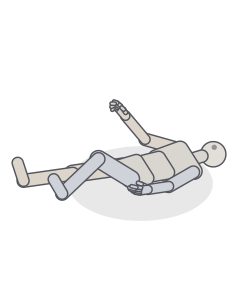 Lying on the backLying · Relaxed
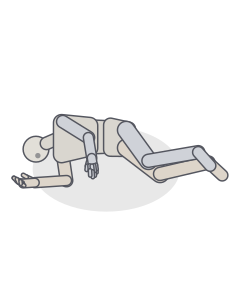 Lying on the sideLying · Relaxed
One pose, different character proportions
Compare the same stance with slender and chibi proportions. Open either reference in Studio to keep that body preset while you adjust the pose.


How to draw with a body base
- Choose the action first. Pick a stance with a readable silhouette. For a quiet character, start with neutral standing; for a weight shift, try contrapposto.
- Set the camera. Rotate the preview to inspect the pose, then open it in Studio to frame your reference. A front view helps compare proportions; a three-quarter view reveals depth.
- Block in the large forms. Draw the head, rib cage and pelvis before the limbs. Mark the shoulder line and hip line so the body keeps its balance.
- Add your character. Build clothing around the forms, leaving room for fabric and hair. Check the silhouette again before refining details.
Choosing a standing, sitting or reclining base
A standing base makes weight distribution easy to read: look for the leg carrying the torso. In a sitting base, check where the pelvis rests and how the thighs meet the seat. For a reclining pose, follow the contact points along the back, hip or shoulder instead of treating the figure as an upright body turned sideways.
Need more variations? Browse the standing references or sitting references. For camera angles that shorten a limb toward the viewer, use the foreshortening guide.
Using a base for anime and character art
Keep the gesture when you change proportions. Enlarging the head or shortening the legs also changes the visual balance, so recheck the feet and the tilt of the torso. The comparison above uses the same pose to make those differences visible.
These mannequins help with construction and camera perspective. For detailed muscles, facial anatomy or fabric folds, combine the base with observed references. Explore anime poses when you need a more expressive gesture.
Frequently asked questions
What is a body base in drawing?
A body base is a simplified figure used to plan a character’s pose, proportions and silhouette before adding clothes, hair and details. Here, the bases are adjustable 3D mannequins rather than finished character illustrations.
How do I make an anime body base?
Choose a pose, open it in Studio and adjust the body proportions. Try slender proportions for an elongated silhouette or chibi proportions for a large head and short limbs. Set the camera before drawing the character over your reference.
Can I change a base instead of copying it exactly?
Yes. Open a pose in Studio to move its joints, change the viewing angle and adjust its proportions. Use the base as a construction guide and develop your own silhouette, clothing and expression.
Can I use these bases for male and female characters?
Use the body controls to explore shoulder width, hip width, build and limb lengths. Choose proportions for the individual character you are drawing; no single set of proportions describes every male or female body.
Keep practising
A body base for your next drawing
Start with a clear pose, then make the character your own. Browse standing, sitting and reclining body bases, rotate the reference, or open a pose in Studio to change its joints and proportions.